


Guidebook
3.5755.00 Reviews
App Specs
- Version
- 9.7.5
- Updated On
- License
- Free
- Downloads
- 1,000,000+
- Developer
- Guidebook Inc
- Categories
- Travel & Local
- Platform
- Android, iOS
Screenshots
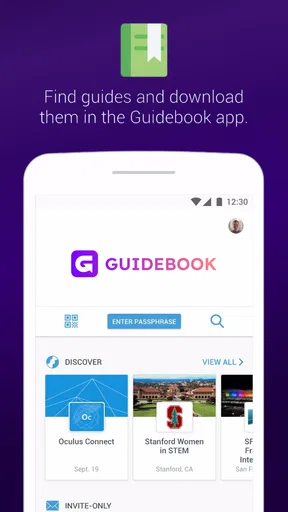
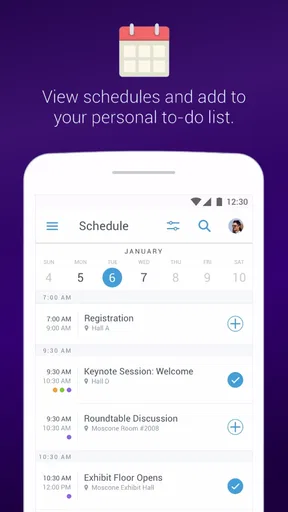
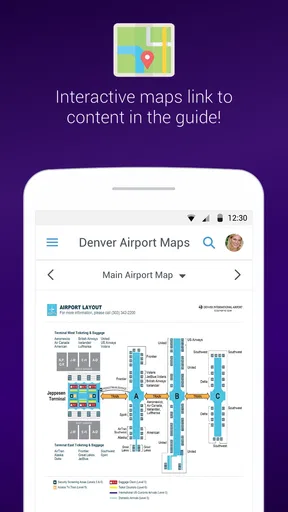
 Analysis by AppCompare
I approached Guidebook as a practical travel and local-events app rather than as a replacement for every travel tool on my phone. Its main appeal is simple: it brings guides to events and places into one mobile experience, which can be useful when I want context around a destination instead of a bare map pin. Guidebook Inc has been developing it since Apr 25, 2011, and the app is free with an Everyone content rating, making it easy to try without turning the decision into a purchase.
My first impression was that the app makes the most sense when I already have a specific event, venue, or destination in mind. It is not necessarily the first tool I would open for every part of a trip. Maps are usually better for live navigation, booking services are better for reservations, and a browser can be quicker for broad research. Guidebook’s role is narrower and more useful: it can give a planned visit a more organized layer of information, especially when an event or place has a dedicated guide available.
How I use Guidebook from the first search to the day of the visit
My baseline workflow is to open the app before leaving, look for the relevant guide, and spend a few minutes understanding how its information is arranged. I do not treat the first screen as a complete itinerary. Instead, I look for the parts that answer immediate questions: what is happening, where it is happening, what nearby places may matter, and whether the guide offers a schedule or location details that are more convenient than searching several pages separately.
That distinction is important. Guidebook is most helpful when information has already been gathered around a particular event or place. If I am attending a conference, visiting a large attraction, or exploring a destination with a structured guide, the app can reduce the need to jump between unrelated searches. I can use it as a reference point while keeping a map app available for the actual route.
A realistic example would be a weekend event in an unfamiliar city. Before leaving my hotel, I would open the guide, check the schedule, identify the locations I care about, and note anything that affects the order of my day. Once outside, I would switch to my regular navigation app for walking directions. When I reach the venue, I would return to Guidebook to check event-specific information rather than repeatedly searching the web for the same details.
This two-app habit is one of the most useful ways to approach it. I would not expect Guidebook to replace navigation, ticketing, translation, or a general search engine. I see it as the organized companion that sits between broad research and on-the-ground movement. That makes the experience more focused, but it also means the app’s value depends heavily on whether a suitable guide exists for the place or event I am interested in.
The app is available for Android users running version 6.0 or later, and the current version is 9.7.5. In everyday terms, that gives it a fairly broad reach among people using older compatible phones as well as newer devices. I still recommend opening the relevant guide before travel rather than waiting until I am standing outside a venue with a weak connection or a nearly empty battery.
Worth Reading Before You Choose

EA SPORTS FC Mobile 26 Is a Bigger Football Game, but It Takes Time

Flipboard Shows What News Apps Must Do Beyond the Feed

Switching to Android Auto Means Rethinking Your Driving Routine

Google Calendar Makes a Crowded Week Easier to Manage

Ludo King Makes the Most of the Minutes Between Plans

Baby Panda World Brings Quick Play to Modern Phones, but Its Game Library Feels Busy
What I check before relying on a guide
I begin by confirming that I am looking at the right event or destination. Similar names can make a guide easy to misread, particularly when an event has several locations or when a city has multiple venues with related names. I then scan the guide’s main sections instead of assuming the opening screen contains everything. This small habit helps me discover useful details without scrolling aimlessly later.
I also separate information I need immediately from information that is merely interesting. A schedule, venue location, or meeting point deserves attention before background descriptions. Nearby recommendations can wait until I know the fixed parts of my day. This keeps the app from becoming another source of distraction when I am already trying to get somewhere.
One less obvious benefit of this approach is that it exposes gaps early. If the guide does not answer a practical question, I know before departure that I need another source. I might then save the address in my navigation app, check transport separately, or contact the venue. I would rather discover that limitation at home than assume the guide covers every operational detail.
Settings and phone habits worth checking
Guidebook is easier to use when I treat the phone itself as part of the setup. I check notification behavior so the app does not become noisy during a busy day, while still allowing alerts that I genuinely want to see. The exact controls can vary by phone, so I use the device’s app settings rather than assuming every option will look identical on Android and iOS.
I also review storage and battery habits before a trip. A guide can be useful only if the phone remains comfortable to use, so I avoid leaving several demanding apps active at once. If I know I will be moving between venues, I charge the phone beforehand and keep the guide easy to reopen. This is not a special Guidebook feature; it is a practical routine that prevents a helpful reference app from becoming inconvenient at the worst moment.
Privacy-conscious users should take a measured approach. I do not grant access automatically just because an app asks for it. I consider whether a permission is necessary for the way I plan to use the guide, and I revisit the phone’s permission controls if I change my mind. Since I can use a navigation app separately, I do not assume that Guidebook must handle every location-related task for me.
Another useful setting is text size at the device level. Event schedules and venue details are often read while standing or walking, which is different from reading at a desk. I prefer a comfortable size over fitting more lines on screen. The small loss in visible content is worth avoiding squinting, especially in bright daylight or when I am quickly checking a time.
I also make a habit of opening the guide on a stable connection before leaving. I do not rely on a last-second load in a crowded venue. This gives me time to understand the layout, notice whether content behaves as expected, and prepare a backup note for anything essential. It is a simple precaution, but it makes the difference between using the app calmly and repeatedly refreshing it in a queue.
Faster patterns for repeat visitors and busy days
Experienced use is less about tapping quickly and more about repeating a dependable sequence. My preferred pattern is: identify the guide, scan its structure, isolate the day’s essential information, and then use other apps only for tasks Guidebook does not handle as well. Once I have done that a few times, I spend less time browsing and more time acting on the information.
For a multi-session event, I would review the complete schedule once, then return only to the relevant portion during the day. I avoid rereading every description each time I open the app. If there are several venues, I group my decisions by location so that I am not crossing the city unnecessarily. Guidebook can inform those choices, but I still use a dedicated map for distance and route planning.
A useful trade-off appears when I am traveling with other people. The app may help me verify event details, but a group still needs a simple meeting plan. I write down the most important address or meeting point rather than expecting everyone to navigate the same guide. This makes the app part of the plan without making the group dependent on one person’s screen.
I also use a “minimum necessary information” rule. Before entering a busy venue, I identify the two or three details I am most likely to need: the next activity, the relevant location, and any nearby point that helps me orient myself. This is faster than trying to memorize an entire guide, and it reduces the temptation to browse unrelated material while I am moving.
For local exploration, I reverse the process. Instead of starting with a fixed schedule, I begin with the area or place I want to understand. I look for useful context, then decide whether Guidebook is enough for the visit or whether I need restaurant reservations, transit information, or a broader local search. This keeps expectations realistic and prevents the app from being judged unfairly for not being a full travel planner.
One of my favorite habits is to review the guide again after the visit. I am not looking for entertainment; I am checking whether the information actually helped. Did it save time, clarify the venue, or make the event easier to follow? If the answer is yes, I know when to use the app again. If the answer is no, I return to more specialized tools next time. This kind of personal feedback is more valuable than assuming every guide will suit every trip.
Where Guidebook is stronger than ordinary searching
The clearest advantage over a normal web search is organization. A search engine can find individual facts, but it often leaves me to decide which pages belong together and which information is current or relevant to the same visit. A guide can provide a more coherent starting point, particularly when I am dealing with an event that has many related details.
Compared with a map application, Guidebook offers a different kind of usefulness. Maps are excellent for routes, distances, and general place discovery. They are less focused on presenting an event or destination as one experience. I use the map to get there and Guidebook to understand what I am looking at once I arrive. Neither replaces the other in my normal workflow.
Compared with a travel blog, the app can feel more practical when I need concise, place-related information rather than a long personal narrative. Blogs may be better for inspiration and broad trip planning, while a guide is better for checking details connected to a particular visit. The downside is that a blog may offer more independent context, whereas a guide can feel limited to the material included for that destination or event.
Compared with a dedicated booking or ticket app, Guidebook is clearly not the same tool. I would not choose it when my main goal is purchasing transport, reserving accommodation, or managing a transaction. Its strength is reference and orientation. That narrow purpose is a benefit when I want less clutter, but a weakness if I expect one app to manage an entire trip.
Limits that matter before you make it your only travel app
The biggest limitation is coverage. The app’s usefulness is not uniform across every city, attraction, or event. It becomes valuable when the relevant guide is available and well organized; without that match, it may offer little reason to replace ordinary search. I would check for the guide I need before building my whole day around the app.
Another limitation is dependence on the quality of the guide itself. A well-structured guide can save time, while a sparse or awkwardly arranged one may leave me searching elsewhere. The app is the container and the access point, but the usefulness of each destination experience depends on the information included there. That is why I judge it guide by guide rather than assuming the same experience everywhere.
I am also careful about treating displayed schedules as the only authority for a fast-changing event. Even when an app is convenient, changes can happen after I have planned my day. For anything time-sensitive, I look for the latest official communication available to me and keep some flexibility. Guidebook can help me organize, but I would not let it replace common sense around delays or changes.
People who want turn-by-turn navigation, offline maps, hotel management, or a unified booking wallet should probably choose specialized tools first. The same is true for travelers who prefer exploring through spontaneous map searches rather than following a structured guide. Guidebook is not a poor choice for those users; it is simply not aimed at their main need.
Its average rating is 3.5 from around 4.2 thousand ratings, with over 755 written reviews, so I read that public response as mixed rather than universally enthusiastic. At the same time, more than 1 million installs show that the app has found a substantial audience. I would interpret both signals cautiously: popularity suggests practical usefulness for many people, while the middling rating is a reminder to test the experience against the specific guide I need.
Who gets the most value from it
I would recommend Guidebook to travelers attending organized events, visitors exploring destinations with dedicated guides, and people who like having context gathered in one place. It can also suit students, families, and first-time visitors who want to reduce the number of separate searches they perform during a day out.
It is especially useful for someone who plans in stages. That user can review the guide at home, use it as a reference on location, and return to a map or booking service when a different task appears. The app rewards that division of labor instead of pretending to be the only tool needed.
I would be less enthusiastic for someone taking an unstructured road trip with no known event or guide, or for a user who expects every destination to provide the same depth of information. In those situations, a map app, a travel search engine, or a destination-specific official app may be the better first download.
Since it is free and rated for Everyone, trying it carries little commitment for a household or mixed-age travel group. Still, free does not mean universally useful. My advice is to search for the exact event or place before departure, open the guide early, and decide whether it answers your practical questions. That quick test tells you more than a general promise that the app covers travel and local information.
My verdict after building a repeatable routine
Guidebook works best when I give it a defined job: help me understand an event or place, organize relevant details, and provide a convenient reference while I handle navigation and bookings elsewhere. The strongest experience comes from preparation, sensible phone settings, and a repeatable habit of checking only what I need.
I like that it can turn scattered destination information into something easier to consult, and I appreciate that the free price makes experimentation straightforward. I also value its long presence in the category and the fact that Guidebook Inc continues to maintain the app, with version 9.7.5 available for compatible devices.
My recommendation is therefore conditional but positive. Guidebook is worth installing when your trip revolves around a supported event, venue, or destination guide. It is not the right single solution for navigation, reservations, or unrestricted travel discovery, and its usefulness can vary with the individual guide. If you understand that boundary, use it before you leave, and combine it with the tools it does not replace, it becomes a practical companion rather than another generic travel app competing for space on your phone.
For me, that is the real measure of success: not whether it handles every travel task, but whether it removes friction from the specific visit I am planning. When the answer is yes, I would recommend Guidebook to a friend without hesitation. When there is no matching guide, I would skip it and rely on a map, search, or official destination app instead.
Pros
- Offline access keeps saved guide content available without mobile data.
- Clear layouts make schedules
- maps
- and recommendations easy to scan.
- Useful for organizing event information in one dedicated place.
- Push notifications can highlight schedule changes and important updates.
- Supports rich content such as images
- videos
- links
- and maps.
Cons
- Some guides may require an invitation
- code
- or organizer access.
- Content quality depends heavily on how thoroughly organizers build each guide.
- Large event guides can take time to download and occupy storage space.
- Notifications may become excessive during busy conferences or events.
- Some features may be limited by the specific guide or organizer settings.
FAQs for Guidebook
What is Guidebook and what can I use it for?
Guidebook is a mobile platform designed to provide organized information for events, conferences, tours, campuses, and other experiences. After installing it, users can access schedules, maps, announcements, speaker or session details, exhibitor information, and useful resources in one place. The exact content depends on the specific guide created by an event organizer or institution.
Does Guidebook work without an internet connection?
Guidebook may allow some guide content to remain available after it has been downloaded, which can be helpful at conferences or venues with unreliable connectivity. However, offline availability can vary depending on how the organizer configured the guide. Live announcements, updated schedules, messaging, maps, and other interactive features may still require an active internet connection.
Do I need an account to use Guidebook?
An account is not always required to browse every Guidebook experience. Some public guides can be opened directly with an access code, search result, or shared link. Nevertheless, certain features—such as personalized schedules, saved sessions, networking, messaging, or participation in private events—may require registration, an email address, or authentication determined by the guide organizer.
Is Guidebook free to download and use?
The Guidebook application is generally available to download without an upfront charge, but the experience inside the app depends on the organization providing the guide. Some guides are freely accessible, while others may be connected to a paid event, membership, course, or venue admission. Users should check the event’s own requirements because downloading the app does not automatically grant access.
Is Guidebook safe and useful for event attendees?
Guidebook can be useful for keeping event information together instead of relying on printed schedules or multiple websites. Its safety and privacy depend partly on the organizer’s configuration, including the information requested for registration and networking. Before enabling optional features, review permissions and privacy settings. Also make sure you download the official app and use the correct guide or access link.


